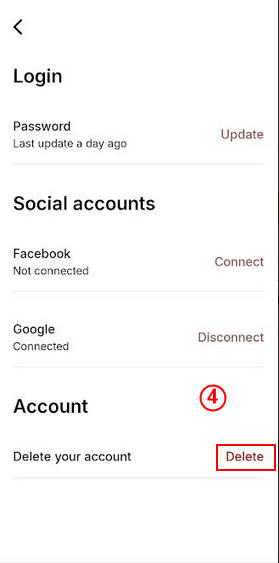
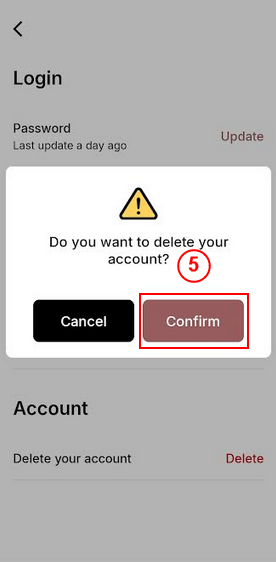
To permanently delete your Upgrade VIP account, Follow the steps below:
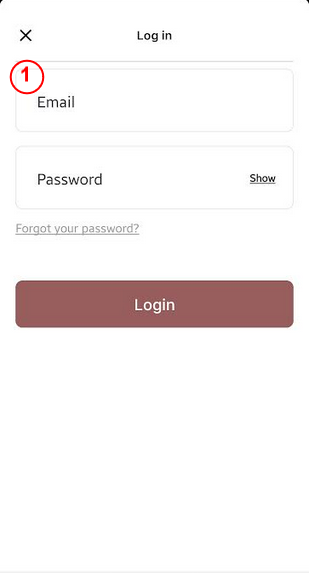
Step 1 : Login to Your account by providing Email and Password
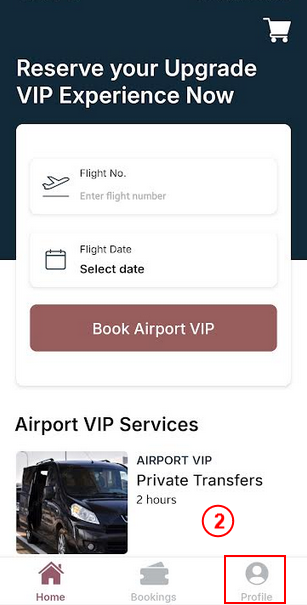
Step 2 : Tap on the Profile Section on Home Screen
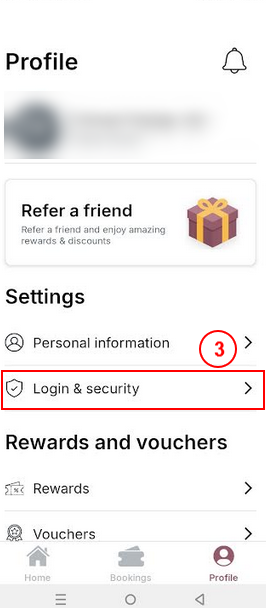
Step 3 : Tap on Login & Security in Profile Menu
Step 4 : Click on Delete in Account Menu
Step 5 : Tap Confirm to Delete Your account from Upgrade VIP